Learn how to make a YouTube thumbnail and master the art of creating great thumbnails for your videos.
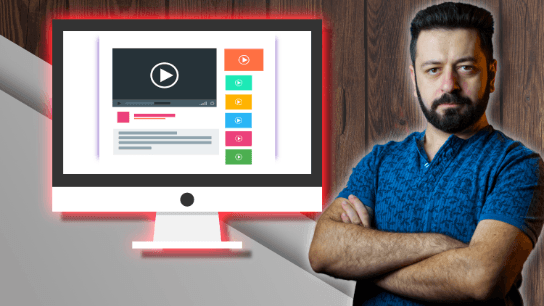
It's not a secret to anyone anymore. YouTube Thumbnails matter. A lot. It's the first thing people see when browsing YouTube and it's what will make them click on your video to watch it or not. It can mean the difference between a million views and no views.
YouTube thumbnails are often the most influential factor in determining whether or not viewers will watch your video. This is because it's the first thing they see when browsing YouTube and is what will make them click on it to watch or not.
Creating an attractive YouTube thumbnail is one of the most important things to get right when uploading a video.
You can't get your video watched without a great thumbnail. Thumbnail size, shape, color, and location all affect your video's click-through rate.
A bad thumbnail can reduce your views by more than half. That's why YouTube Thumbnail Masterclass is designed to show you how to create attractive thumbnails that will help your video stand out on YouTube.
Make sure your thumbnails stand out from the crowd with this online course where I will teach you how to create an amazing YouTube Thumbnails.
And that's where this course comes in.
You will learn how to create amazing YouTube Thumbnails in this course. I will teach you all the tricks and techniques you need to know about how to make a thumbnail stand out from the crowd. You will also learn how to create your own thumbnail styles and use different software as well as other digital graphics tools for editing images.
Do you know those amazing thumbnails that stand out and grab your attention? I will show you how to create your own and make them the best they can be. Whether you're creating a thumbnail for a video, logo, or infographic, these techniques will help you stand out from the crowd.
Whether you are just a beginner or an expert, this course will teach you how to use Affinity Photo, its tools, and other free software to create a custom thumbnail for YouTube videos.

My name is Nick and I specialize in online business and teaching. I mainly focus on YouTube Channel building, Pinterest Growth, OBS Studio (Streamlabs OBS), LumaFusion Video Editing & Much More. Join me and learn amazing software for content creation and let's create amazing content together. For any questions, do not hesitate to ask, I am always available for help, any time, any day.
This portal is provided as a training and development resource for City of Markham employees. Every course is delivered by a qualified subject matter expert or learning organization, is quantifiable in hours, and is verifiable — you receive a documented certificate of completion for every course you finish, stored on LearnFormula indefinitely.
If you hold a professional designation (for example in engineering, accounting, human resources, or law), courses may be counted as professionally relevant, verifiable learning activities toward your continuing professional development. Individual practitioners are responsible for confirming that an activity meets the requirements of their professional body. For questions about the City of Markham's training and development policies, please speak with your people leader or Human Resources.
