Less is more in a slide show so it is important to use techniques and effects which will help engage your audience and draw their attention to the points that matter.
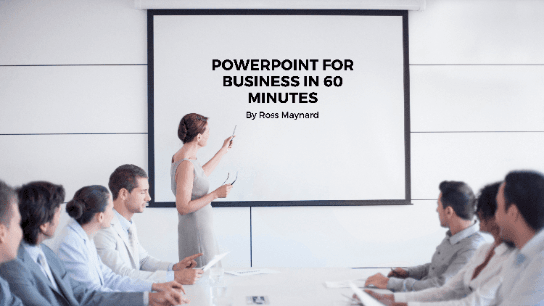
Welcome to PowerPoint for Business in 60 Minutes.
Microsoft PowerPoint has been around for nearly 35 years, and I am sure you are familiar with it and have experienced many PowerPoint presentations – some good; many extremely tedious! Creating a business presentation in PowerPoint presents a number of challenges and there is a danger of “death by PowerPoint”. I recently attended a meeting which was supposed to be a planning discussion but which the person leading the meeting insisted on introducing with a PowerPoint presentation of 60 slides – mostly bullet points! We were hardly in the mood for action planning after that assault on our senses.
PowerPoint is good for presenting business results or for a training course, but you need to plan your slideshow carefully to avoid bullet-point boredom and to keep your audience engaged and interested. And that is the purpose of this course – to teach you PowerPoint techniques which you may not be familiar with, and which will help you improve the impact of your business presentations.
Less is more in a slide show so it is important to use techniques and effects which will help engage your audience and draw their attention to the points that matter.
In “PowerPoint for Business in 60 Minutes”, I cover six key topics that will help you produce more impactful business presentations:
This is not a full “PowerPoint from scratch” course: it assumes familiarity with Microsoft’s ubiquitous program. Instead, the course takes only 1 hour of your time to focus on key techniques that can help you improve the impact of the presentations you create.
I hope you enjoy the course.

Business author and consultant, specialising in performance measurement and improvement
I am a Fellow of the Chartered Institute of Management Accountants in the UK and work as an author of business courses and a process improvement consultant. I have over 30 years' experience and live near Stirling in Scotland, with my wife, daughter and Cocker Spaniel. I aim to make my courses accessible and understandable. My courses focus on business topics including KPIs, performance measurement, approaches to business improvement, Agile and Lean. I hope you enjoy my courses.
This portal is provided as a training and development resource for City of Markham employees. Every course is delivered by a qualified subject matter expert or learning organization, is quantifiable in hours, and is verifiable — you receive a documented certificate of completion for every course you finish, stored on LearnFormula indefinitely.
If you hold a professional designation (for example in engineering, accounting, human resources, or law), courses may be counted as professionally relevant, verifiable learning activities toward your continuing professional development. Individual practitioners are responsible for confirming that an activity meets the requirements of their professional body. For questions about the City of Markham's training and development policies, please speak with your people leader or Human Resources.
