Learn to streamline formulas using absolute/relative references, named ranges, LET, UNIQUE, and SUMIF with spilled ranges, plus expert tips for avoiding Excel #SPILL! errors.
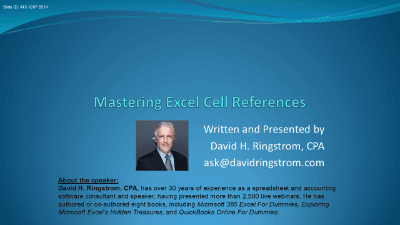
Welcome to "Mastering Excel Cell References," an essential course designed to elevate your Excel proficiency beyond the basics. This course delves into a comprehensive array of cell reference types and advanced features, equipping you with the skills to build more robust, efficient, and accurate spreadsheets.
Cell references are the backbone of powerful Excel formulas, yet many users only scratch the surface of their capabilities. Understanding and effectively utilizing different reference types—from familiar relative and absolute references to more advanced structured, named, and dynamic array references—is crucial for data integrity, formula flexibility, and overall productivity. This course will transform your approach to formula writing, helping you create spreadsheets that adapt seamlessly to changing data and reduce the time spent on manual adjustments.
Upon completing this course, you will be able to:
Whether you're a seasoned Excel user looking to optimize your workflows or aiming to tackle more sophisticated data challenges, "Mastering Excel Cell References" provides the practical knowledge and expert techniques you need to unlock Excel's full potential. Prepare to build spreadsheets that are not just functional, but also intelligent and dynamic.

CPA, Author, Professional Excel Spreadsheet Trainer and Consultant
David H. Ringstrom, CPA, is the author of Microsoft 365 Excel for Dummies, and a nationally recognized instructor who has taught over 2,500 live webinars. His Excel courses are based on over 30 years of consulting and teaching experience. David’s catchphrase is “Either you work Excel, or it works you,” so he focuses on what he sees users don’t, but should know about Microsoft Excel. His goal is to empower you to use Excel more effectively. David has authored or co-authored 10 books, including Exploring Microsoft Excel's Hidden Treasures, QuickBooks Online for Dummies, and Idiot's Guide to Introductory Accounting.
This portal is provided as a training and development resource for City of Markham employees. Every course is delivered by a qualified subject matter expert or learning organization, is quantifiable in hours, and is verifiable — you receive a documented certificate of completion for every course you finish, stored on LearnFormula indefinitely.
If you hold a professional designation (for example in engineering, accounting, human resources, or law), courses may be counted as professionally relevant, verifiable learning activities toward your continuing professional development. Individual practitioners are responsible for confirming that an activity meets the requirements of their professional body. For questions about the City of Markham's training and development policies, please speak with your people leader or Human Resources.
