Learn to create various non-technical designs in AutoDesk Fusion 360
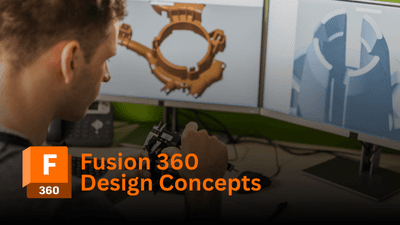
Welcome to the class "Fusion 360 Design Concepts". In this class, you will learn about various 3D design concepts in Fusion 360 in a very comprehensive way. This class is taught by a Fusion 360 certified user & AutoDesk certified professional with 10+ years of design experience.
What is covered
10+ design (non-technical) concepts including Fidget spinner, Pokeball, Geometric planter, Diamond, Painter's pyramid, etc. The idea behind creating this course came from feedback from several students who wanted some cool designs for a change. By taking this course, you will be able to brush up on your knowledge of Fusion 360 & also learn a lot of new things.
Class Level - Intermediate
If you are a complete beginner to Fusion 360, This class might not be for you. You need to have some fundamental knowledge of 2D Sketching & 3D modelling. This is indeed an intermediate-level course.
Pre-requisite Commands
Sketching commands like Circle, Rectangle, Arc, and Polygon are used quite frequently along with the Project command which projects bodies & components to an existing sketch. 3D modelling tools like extrude, revolve, shell, and fillet are also frequently used. Construct toolbar for creating axis & planes & Inspect toolbar for measurements are equally important.

Mechanical Engineer, Educator, & Industry Consultant
J. Aatish Rao | Mechanical Engineer, Educator, & Industry Consultant AutoDesk Certified Professional | Fusion 360 Certified User | ClearFit Certified Team Leader Why Learn with Me? With over a decade of hands-on industry experience, I specialize in empowering students and professionals in mechanical engineering and advanced design. As an experienced consultant and certified instructor, I am passionate about transforming complex concepts into practical, real-world applications to help you succeed. 10+ Years of Industry Expertise: I bring practical knowledge from years of solving real-world challenges in mechanical engineering, design, and consulting. Globally Certified Trainer: As an AutoDesk Certified Professional and Fusion 360 Certified User, I provide expert instruction tailored to your learning needs, blending certified techniques with a deep understanding of the industry. Dynamic & Engaging Teaching: My highly interactive workshops and courses foster a team-spirited, hands-on environment that motivates and inspires the next generation of engineers. Certifications & Leadership AutoDesk Certified Professional & Fusion 360 Certified User : Master-level skills in cutting-edge design software. ClearFit Certified Team Leader : Expertise in team leadership and collaboration. Industrial Consultant : Proven success in providing innovative solutions to engineering challenges. Beyond Engineering When I’m not mentoring future engineers, I’m gazing at the stars. As a passionate stargazer and lifelong learner, I channel my curiosity about the cosmos into everything I do, bringing a sense of wonder and exploration to my teaching. Join Me on LearnFormula Unlock your potential in mechanical engineering and beyond. Whether you're a student, a professional, or a lifelong learner, my courses are designed to provide you with the knowledge, skills, and confidence to succeed in the ever-evolving world of engineering. Let’s embark on this transformative journey together!
This portal is provided as a training and development resource for City of Markham employees. Every course is delivered by a qualified subject matter expert or learning organization, is quantifiable in hours, and is verifiable — you receive a documented certificate of completion for every course you finish, stored on LearnFormula indefinitely.
If you hold a professional designation (for example in engineering, accounting, human resources, or law), courses may be counted as professionally relevant, verifiable learning activities toward your continuing professional development. Individual practitioners are responsible for confirming that an activity meets the requirements of their professional body. For questions about the City of Markham's training and development policies, please speak with your people leader or Human Resources.
