LF logo
by learnformula
search
Log in
search
Courses/Accounting & Tax/Financial Reporting & Statements

Financial Reporting Tips and Tricks in Excel

Master Excel for financial reporting. Elevate your efficiency and accuracy with expert tips and tricks, transforming how you present key financial data.
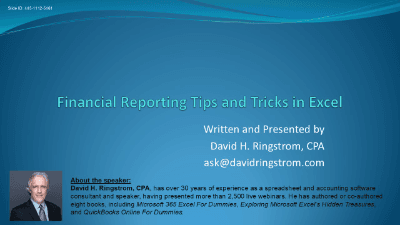
Created byDavid Ringstrom
4.9
(365 reviews)
IntermediateUpdated Nov 12, 2025
Financial Reporting Tips and Tricks in Excel

What You'll Learn

check_circleStreamline reporting using Excel templates.
check_circleCreate dynamic waterfall charts in Excel.
check_circleAutomate data transformation with Power Query.
check_circleFormat financial reports using advanced Excel features.

About This Course

Master the art of "Financial Reporting Tips and Tricks in Excel" and revolutionize your reporting tasks. This course, led by CPA David Ringstrom, will equip you with an expanded toolbox of techniques to streamline repetitive processes and work more effectively with ongoing reports.

  • Templates: Learn to create and utilize Excel workbook and worksheet templates, ensuring consistent, clean starting points for all your financial reports. Say goodbye to accidentally overwriting previous month's data!
  • Charts: Discover how to automate chart creation and formatting using chart templates. Dive into the specifics of building and customizing dynamic waterfall charts, including how to handle those tricky totals.
  • Power Query: Unlock the transformative potential of Power Query. Go from unwieldy reports with over 100 columns to concise, actionable data, perfect for pivot tables and advanced analysis.
  • Automated Formatting: Enhance readability and impact with conditional formatting, including data bars and icon sets. Master cell styles to apply consistent formatting across your worksheets and even transfer them between workbooks with ease.

By the end of this presentation, you'll possess the skills to automate, standardize, and visually enhance your financial reporting, saving you countless hours and boosting your analytical capabilities.

Your Instructor

David Ringstrom
David Ringstrom

CPA, Author, Professional Excel Spreadsheet Trainer and Consultant

menu_book44 courses
star1,099 reviews

David H. Ringstrom, CPA, is the author of Microsoft 365 Excel for Dummies, and a nationally recognized instructor who has taught over 2,500 live webinars. His Excel courses are based on over 30 years of consulting and teaching experience. David’s catchphrase is “Either you work Excel, or it works you,” so he focuses on what he sees users don’t, but should know about Microsoft Excel. His goal is to empower you to use Excel more effectively. David has authored or co-authored 10 books, including Exploring Microsoft Excel's Hidden Treasures, QuickBooks Online for Dummies, and Idiot's Guide to Introductory Accounting.

Credit Information

Do these courses count toward my professional development requirements?

This portal is provided as a training and development resource for City of Markham employees. Every course is delivered by a qualified subject matter expert or learning organization, is quantifiable in hours, and is verifiable — you receive a documented certificate of completion for every course you finish, stored on LearnFormula indefinitely.

If you hold a professional designation (for example in engineering, accounting, human resources, or law), courses may be counted as professionally relevant, verifiable learning activities toward your continuing professional development. Individual practitioners are responsible for confirming that an activity meets the requirements of their professional body. For questions about the City of Markham's training and development policies, please speak with your people leader or Human Resources.

What Students Are Saying

4.9
Student's Choice
365 reviews

Frequently Asked Questions

We are a registered provider with 327+ associations and regulatory bodies worldwide. We operate across 29 global markets including Canada, the US, Australia, and the UK. Every course page clearly displays its specific accreditations. Upon completion, you receive a professional certificate that can be validated online. Our certificates include all necessary accreditation details, credit hours, and completion dates, and are formatted specifically to meet the submission requirements of most global regulatory bodies.