This program focuses on improving the efficiency of a common Excel task … building and updating a report. Major topics include Tables, SUMIFS, Power Query, and the Data Model.
This practical course is designed to help Excel users dramatically improve the efficiency and accuracy of report building and updating—a common but time-consuming task. You’ll start by reviewing how reports are typically updated manually, then progressively enhance the process using powerful Excel features including Tables, SUMIFS, Power Query, the Data Model, and Cube functions.
Ideal for professionals looking to save time and boost productivity, this course shows how even basic Excel knowledge can evolve into advanced efficiency gains. Whether you're preparing recurring reports or managing large datasets, you'll leave with strategies to streamline your workflow and reduce manual effort.
Major Topics Covered:
Creating structured reports with Excel Tables
Leveraging SUMIFS for dynamic calculations
Automating data import and transformation using Power Query
Building robust reporting systems with the Data Model
Using Cube functions for advanced data analysis
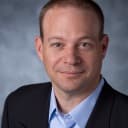
CPA and Microsoft Certified Trainer
In his live CPE training sessions, Jeff Lenning CPA CITP has shown thousands of CPAs and accounting professionals across the country how to use Excel to streamline their work and become more efficient. Several publications have featured his Excel articles, including the Journal of Accountancy and California CPA Magazine. After graduating from the University of Southern California, Jeff began his career in the audit practice at Arthur Andersen’s Orange County office. He was a senior financial analyst at Gateway computers and the accounting manager at Interpore Cross International. In 2000, he founded Click Consulting Inc., a technology-consulting firm that specializes in Excel training, consulting, development, and personal coaching. He is a past president of the CalCPA OCLB Chapter, the former chair of the California CPA State Technology Committee, co-chair of the California CPA OCLB Chapter Technology Committee, a board member of the California CPA OCLB Chapter, on the California Society of CPAs Council, and an instructor for the AICPA and the California CPA Education Foundation. A Microsoft Office Certified Excel Expert, he is a nationally recognized speaker and trainer. He was recently recognized with the California CPA Education Foundation's Award for Instructor Excellence.
This portal is provided as a training and development resource for City of Markham employees. Every course is delivered by a qualified subject matter expert or learning organization, is quantifiable in hours, and is verifiable — you receive a documented certificate of completion for every course you finish, stored on LearnFormula indefinitely.
If you hold a professional designation (for example in engineering, accounting, human resources, or law), courses may be counted as professionally relevant, verifiable learning activities toward your continuing professional development. Individual practitioners are responsible for confirming that an activity meets the requirements of their professional body. For questions about the City of Markham's training and development policies, please speak with your people leader or Human Resources.
