Learn to create an email design that will adapt it’s layout varying screen sizes for optimal viewing on any device.
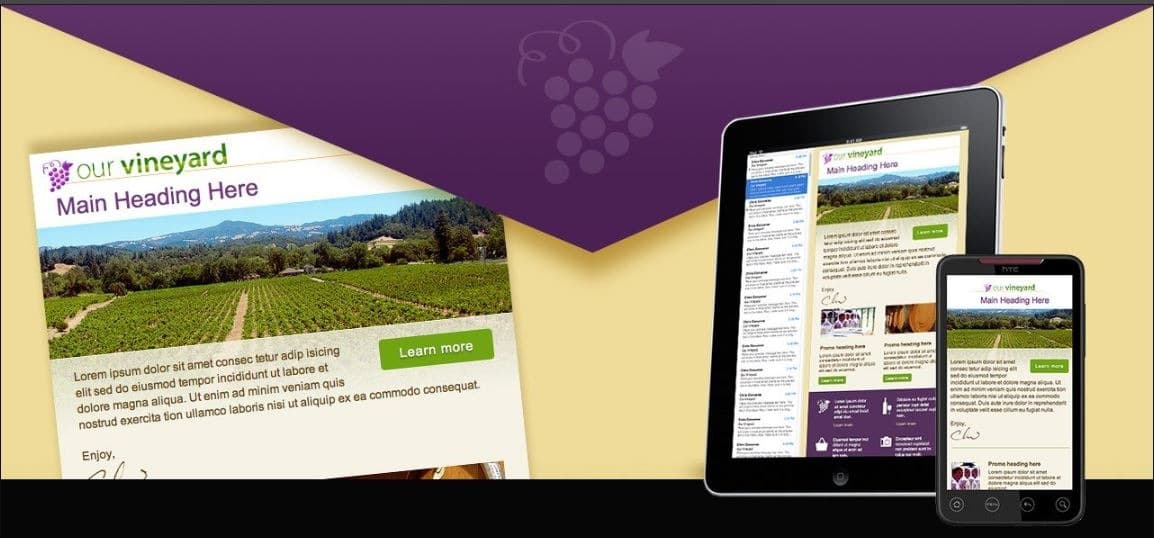
Designing responsive HTML emails requires navigating the constraints of diverse email clients and screen sizes. In this course, expert Chris Converse guides you through building elegant, adaptable email designs that render correctly across more than 30 popular email platforms, including Gmail, Outlook, Yahoo, and major mobile operating systems.
You’ll learn how to implement modern design features—such as background images, rounded corners, and drop shadows—while ensuring compatibility across clients. The course also covers how to create effective call-to-action buttons, apply CSS styling, and incorporate animation. You’ll explore key tools for testing and optimizing your email campaigns, unlocking what’s truly possible with HTML email.

Designer & Developer at Codify Design Studio
Chris has over 25 years experience in graphic and interactive design, with a unique focus on both design and development. As a graduate of the Rochester Institute of Technology (RIT), he has focused his career on merging design and technology to create the optimal execution across various media. In addition to graduating from the Rochester Institute of Technology, he is also a featured speaker at various industry-related conferences, including the Adobe MAX, NAB, CreativePro Week and Keyframes. Watch his step-by-step courses online at LinkedIn Learning, Udemy.com, Skillshare, CPDForumula, CreativeLive, Pluralsight.com, or on Amazon Video. Find more of Chris' events at https://codifydesign.com/chris/events
This portal is provided as a training and development resource for City of Markham employees. Every course is delivered by a qualified subject matter expert or learning organization, is quantifiable in hours, and is verifiable — you receive a documented certificate of completion for every course you finish, stored on LearnFormula indefinitely.
If you hold a professional designation (for example in engineering, accounting, human resources, or law), courses may be counted as professionally relevant, verifiable learning activities toward your continuing professional development. Individual practitioners are responsible for confirming that an activity meets the requirements of their professional body. For questions about the City of Markham's training and development policies, please speak with your people leader or Human Resources.
