Transform static workbooks into dynamic, user-friendly tools that streamline navigation, control inputs, and maximize efficiency.
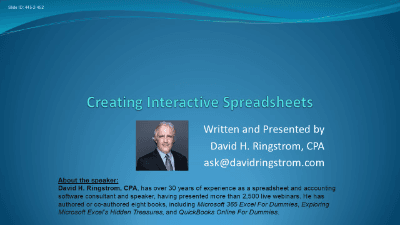
Transform static grids into dynamic, user-friendly tools with the course Creating Interactive Excel Spreadsheets. Presented by Excel expert David Ringstrom, CPA, this course is designed to help you eliminate the grind of sifting through endless seas of data. You will move beyond basic scroll bars and learn how to build spreadsheets that are not only functional but highly interactive, allowing for efficient navigation and data analysis.
The training begins by addressing common navigation frustrations. You will discover how to manage large workbooks effectively using the Navigation Panel—a feature that provides a bird's-eye view of your data—and how to utilize hyperlinks to jump instantly between worksheet sections. The course then transitions into organizing data with Excel Tables and Slicers, enabling you to filter information visually and protect hidden rows. You will also dive deep into Pivot Tables, learning to create them from tables to ensure data integrity, add report filters, and expand or collapse fields to drill down into anomalies.
Beyond navigation and analysis, you will learn to control and guide user inputs. This course covers essential Data Validation techniques, from creating simple drop-down lists to building advanced dependent lists where one choice dictates the options in a subsequent list. Finally, you will enhance the user interface of your spreadsheets by enabling the Developer tab to insert professional Form Controls.
Key learning outcomes include:
This course demonstrates techniques primarily in Microsoft 365 for Windows, but also addresses the functionality gap for Mac users, ensuring clarity on which features are cross-platform. By the end of this session, you will possess the skills to create professional, resilient, and interactive spreadsheets that streamline workflow and reduce cognitive load.

CPA, Author, Professional Excel Spreadsheet Trainer and Consultant
David H. Ringstrom, CPA, is the author of Microsoft 365 Excel for Dummies, and a nationally recognized instructor who has taught over 2,500 live webinars. His Excel courses are based on over 30 years of consulting and teaching experience. David’s catchphrase is “Either you work Excel, or it works you,” so he focuses on what he sees users don’t, but should know about Microsoft Excel. His goal is to empower you to use Excel more effectively. David has authored or co-authored 10 books, including Exploring Microsoft Excel's Hidden Treasures, QuickBooks Online for Dummies, and Idiot's Guide to Introductory Accounting.
This portal is provided as a training and development resource for City of Markham employees. Every course is delivered by a qualified subject matter expert or learning organization, is quantifiable in hours, and is verifiable — you receive a documented certificate of completion for every course you finish, stored on LearnFormula indefinitely.
If you hold a professional designation (for example in engineering, accounting, human resources, or law), courses may be counted as professionally relevant, verifiable learning activities toward your continuing professional development. Individual practitioners are responsible for confirming that an activity meets the requirements of their professional body. For questions about the City of Markham's training and development policies, please speak with your people leader or Human Resources.
